


Microsoft Word Hacks You Should've Known Sooner!
Date
2026-04-28
Views
552
Do you know anything about this hidden features for Microsoft Word? If dont, read this blog about how to access this hacks!
🆕Generating QR Code in Windows Word
📄This allows advanced users to generate QR codes directly inside their documents. This makes Word more interactive and professional, perfect for business, presentations, menus, and marketing materials.
To Access this feature:
1️⃣ Open Microsoft Word and press CTRL + F9 to insert field brackets 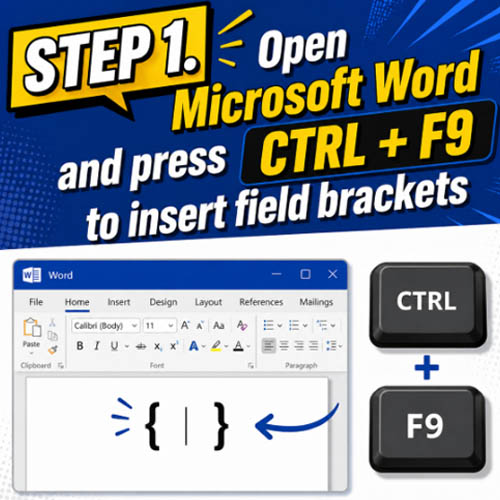
2️⃣ Type inside the bracket "DISPLAYBARCODE "Link" QR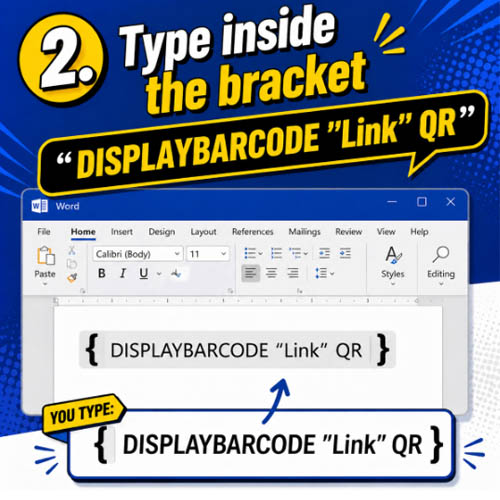
3️⃣ Replace "Link" with your website or URL and Right-click then select Toggle Field Code 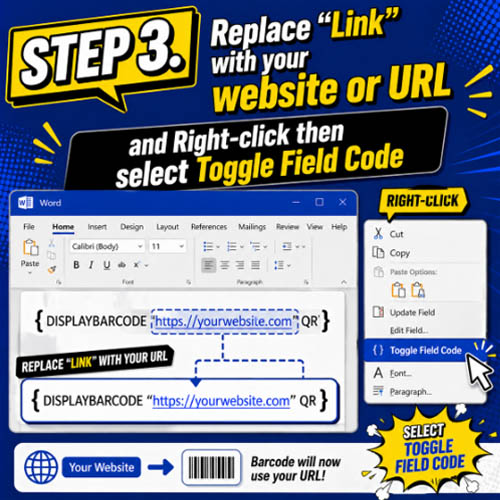
and there you have it you already created QR Code in Microsoft Word!
This kind of feature is great for professional documents, marketing, and interactive materials.
✅Check this cool hack with your Windows Word!
🆕Instant Shortcut List
This feature speeds up formatting and editing tasks, saving time for students, office workers, and business owners.
To use this hack:
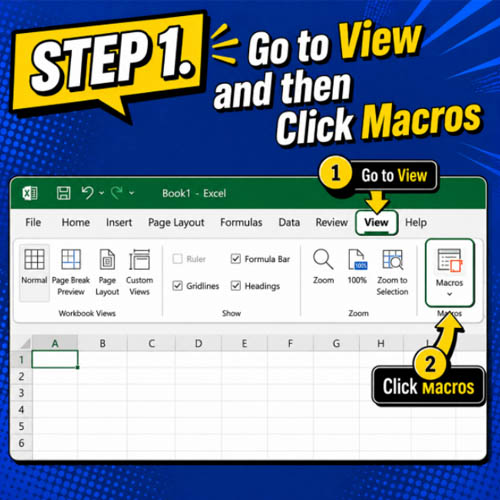
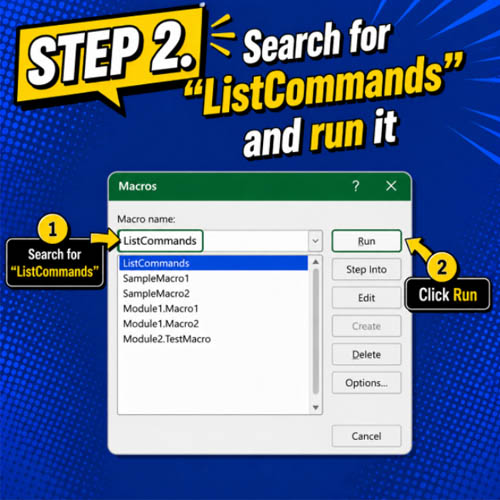
3️⃣ Click 'Ok' and all the shorcuts will appear
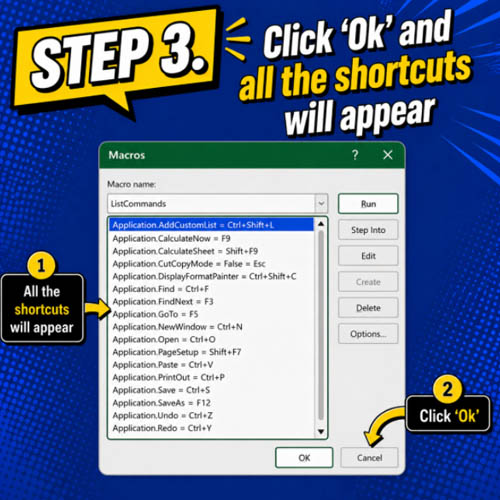
✅Its simple, isn't it? Why not try it now?
🎥 For the complete video presentation, please click the link below:
👉 https://youtu.be/qDq47OWkqNY?si=BQhoQHqJg6MkQpbk
🎥 For the complete video presentation, please click the link below:
👉 https://www.youtube.com/watch?v=ovOaVurxlmI
🎓 For tips, guides, and tutorial content, please visit our official YouTube channel:
👉 https://www.youtube.com/@OPENPINOYiWatchYou
📞 Contact Information
For inquiries and further assistance, please reach us through the following channels:
📱 Mobile / Viber: 0917-822-1232 / 0917-822-3232
📧 Email: openpinoy_onlinesales@hotmail.com
🌐 Website:
👉 Website for B2B - WWW.OPENPINOY.NET
👉Website for Retail - WWW.OPENPINOY.COM
OPENPINOY©️
🤝 We are pleased to assist you with your needs.